

Softphone Salesforce Integration: Easy Setup Explained
Softphone integration with Salesforce enables businesses to enhance agent efficiency, improve customer interactions, and
Read More about Softphone Salesforce Integration: Easy Setup Explained

If you’re looking to simplify your field service operations, Field Service Lightning (FSL in Salesforce) is a game-changer. Whether you’re new to Salesforce or a skilled user, enabling Field Service Lightning can significantly improve your ability to manage field technicians, appointments, and customer service.
The best part? As a beginner, you can easily follow this simple process to get started with Salesforce Field Service Lightning, even if it’s your first time navigating the setup.
In this guide, we’ll walk you through the steps to enable Field Service Lightning from scratch—ensuring you gain the knowledge and confidence to integrate it smoothly into your Salesforce environment.
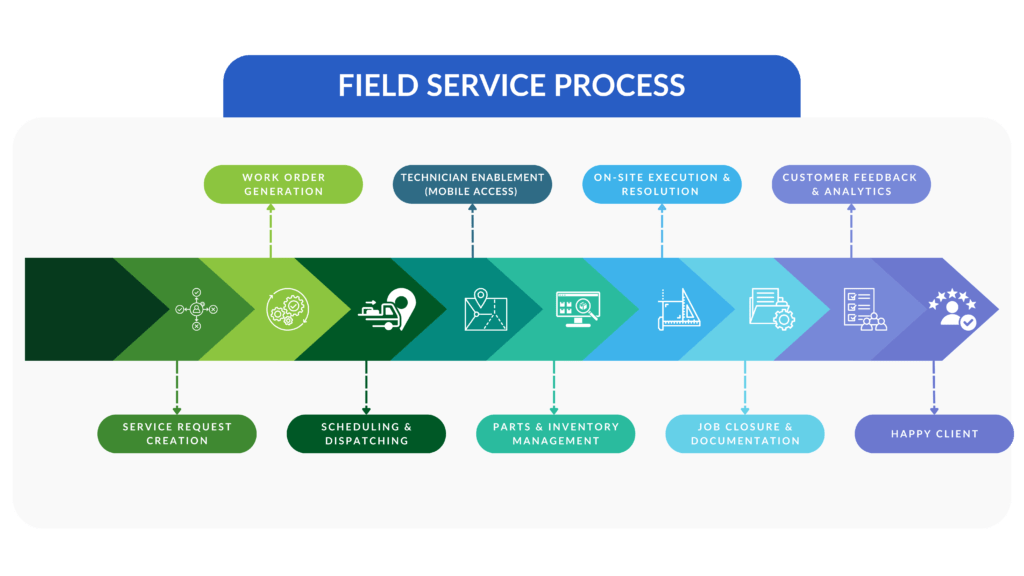
The Field service process includes several important stages that help ensure smooth and timely service delivery.
This infographic outlines the core steps—from creating work orders to dispatching technicians and completing jobs. It highlights how each stage plays a role in improving field operations and keeping customers satisfied.
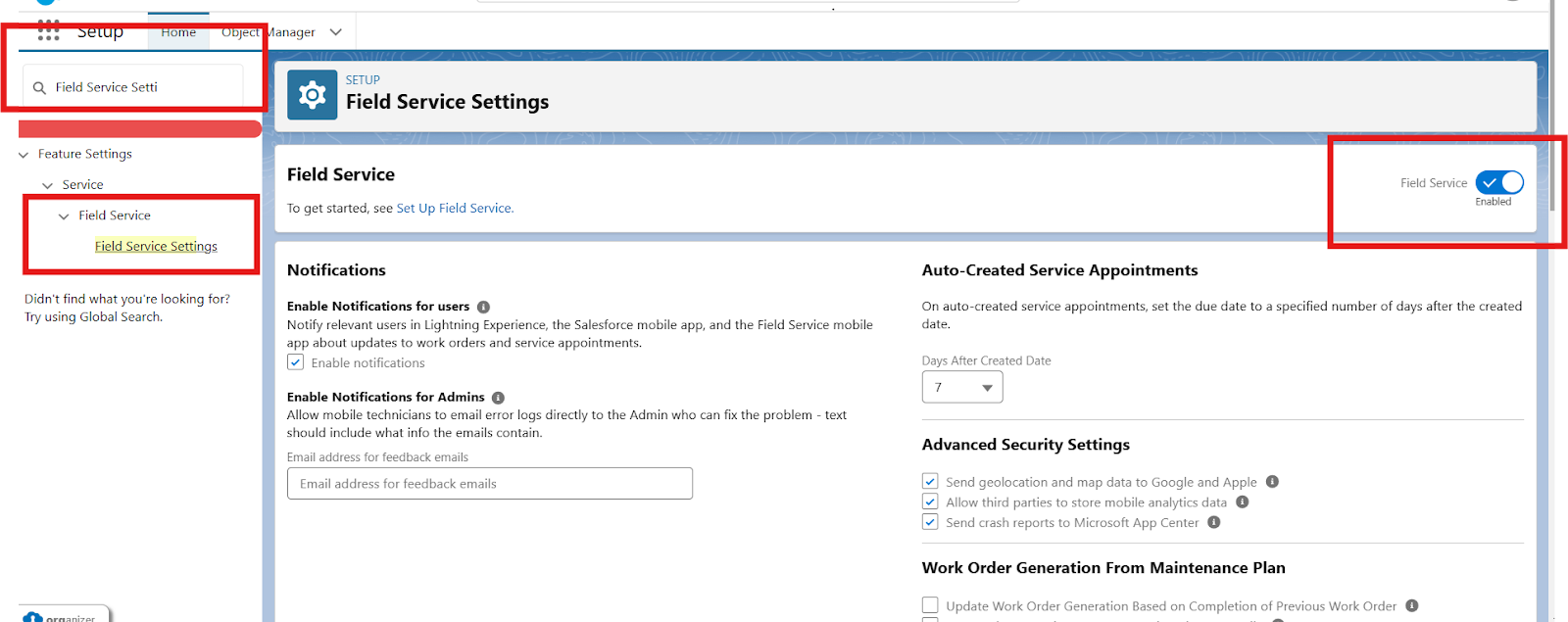
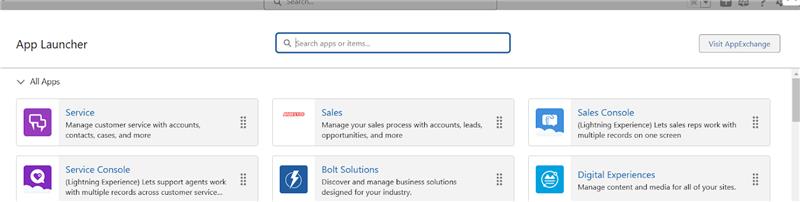
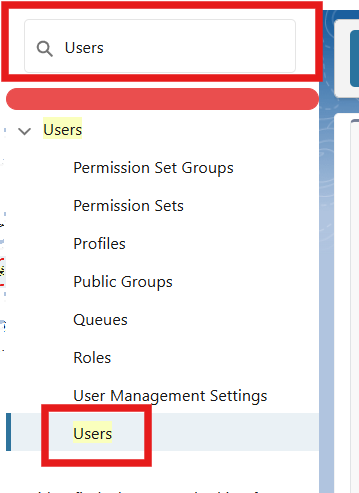
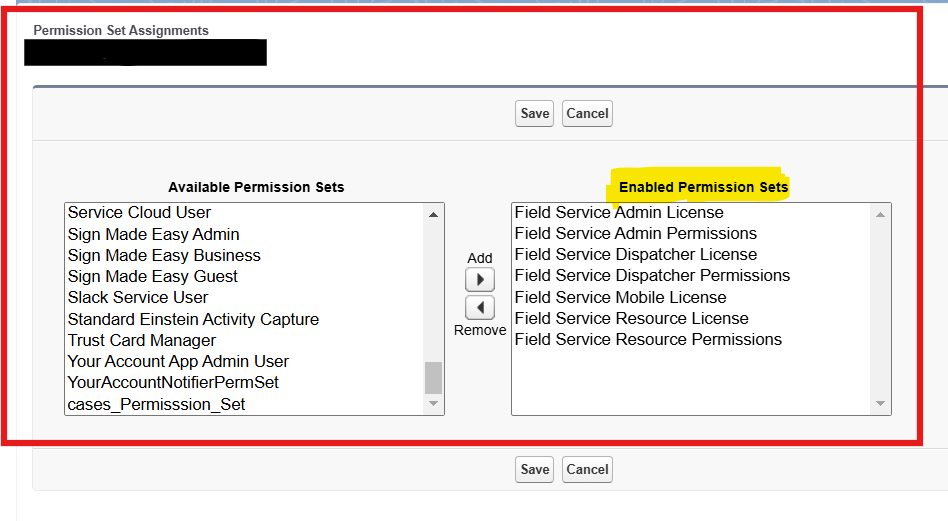
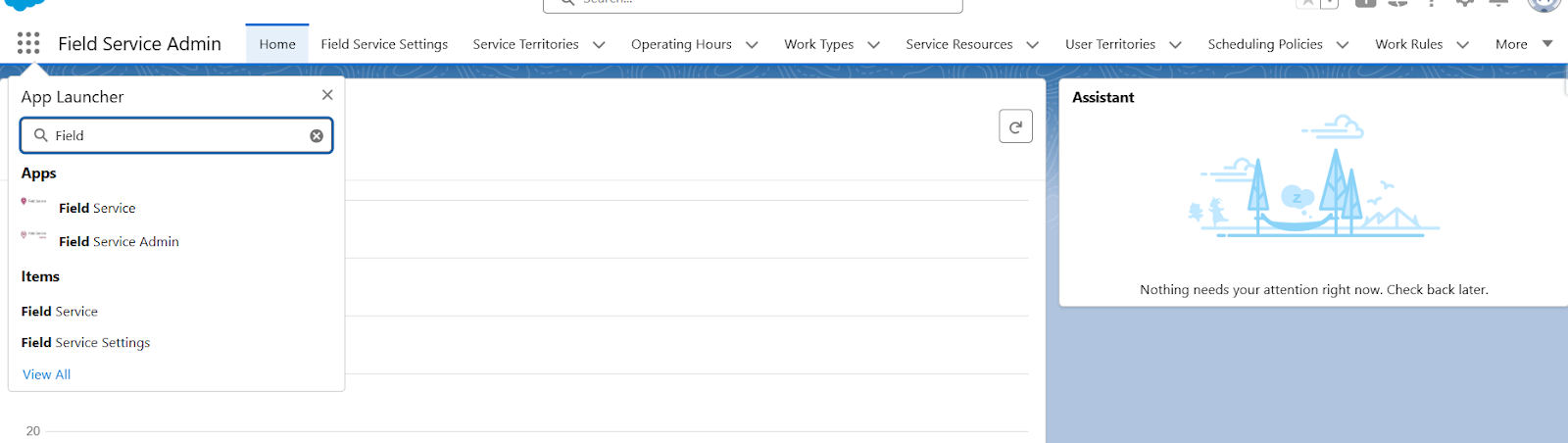
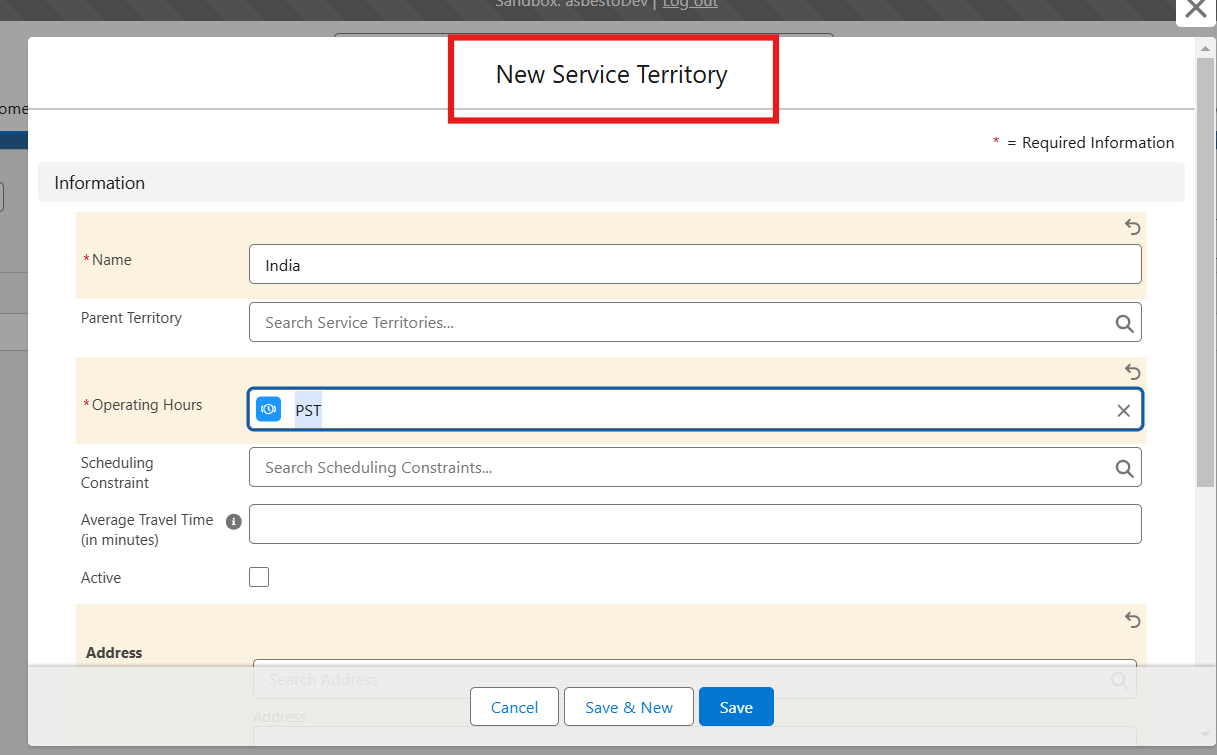
2. Define resources that will be used in service operations.
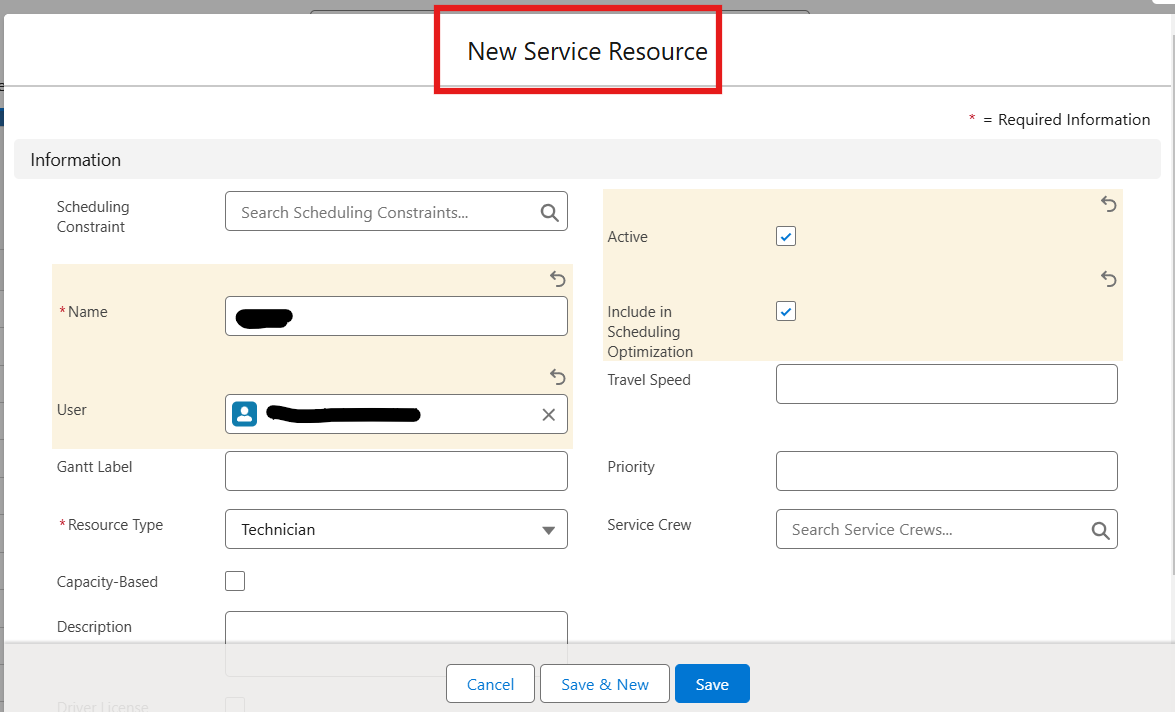
3. Set up work orders and service appointments for effective scheduling.
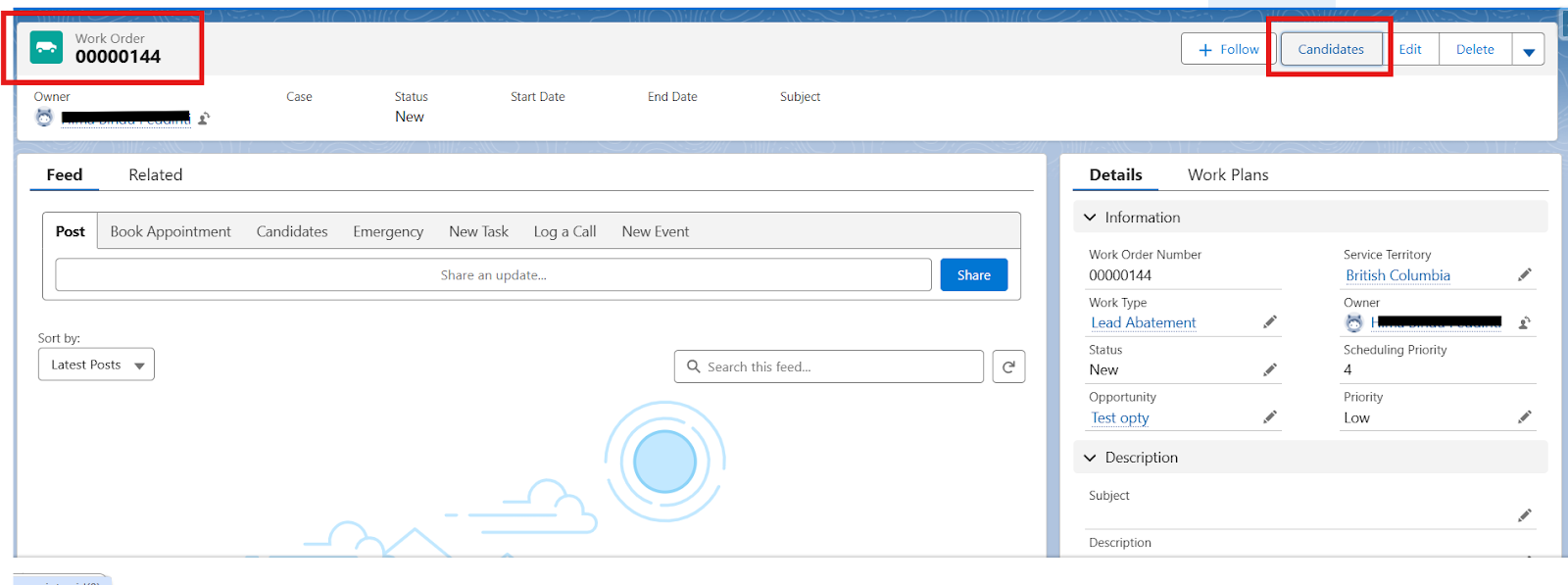
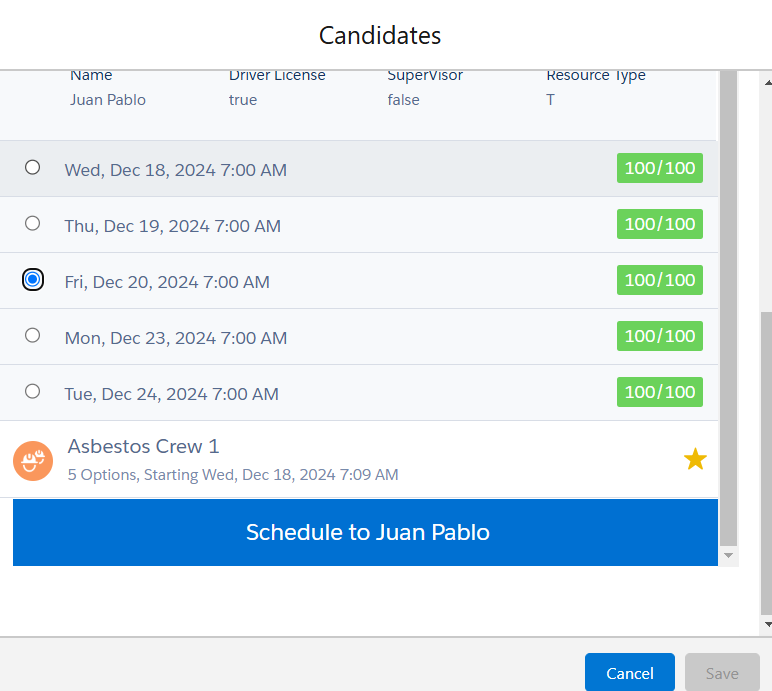

2. Log in using your Salesforce credentials.
3. Technicians can now view work orders, accept appointments, and manage their schedules directly on their mobile devices.
By following these simple steps, even as a beginner, you can easily enable Field Service Lightning in Salesforce and start optimizing your field service operations. Salesforce Field Service Lightning offers powerful features that help businesses better manage customer service and improve technician productivity. With this step-by-step guide, you’re on your way to using FSL in Salesforce and improving your field service management without hassle.
Get in touch with us today
What is Salesforce Field Service and what is it used for?
Salesforce Field Service manages field operations: work orders, appointments, scheduling, dispatch, assets, and mobile technician work, all connected to the customer record.
What are the prerequisites for enabling Field Service in Salesforce?
Usually the right licenses and permissions, your users, service data, locations, and service resources, plus the configuration your operation needs.
How do you enable Field Service Lightning in Salesforce?
Enable the Field Service capabilities, configure users and permissions, set up service resources and operating hours, then configure scheduling and work-order processes to match how you work.
How does Salesforce Field Service help manage work orders, service appointments, and technicians?
It ties work orders and appointments to resources, schedules, locations, and technician detail, so you can coordinate field work from one connected view.
Softphone integration with Salesforce enables businesses to enhance agent efficiency, improve customer interactions, and
Read More about Softphone Salesforce Integration: Easy Setup ExplainedSalesforce Agentforce is changing the way companies manage customer support and service tasks. Designed
Read More about How to Setup Agentforce in SalesforceContracts influence far more than the moment a deal is signed. They can define
Read More about Are Your Most Valuable Commercial Relationships Trapped in Unstructured Data?